
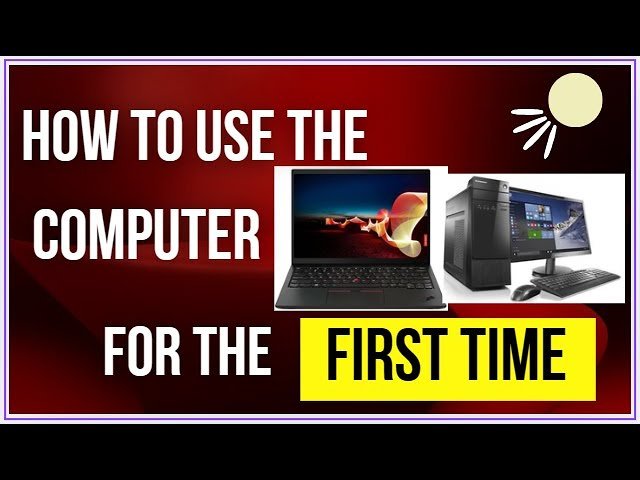
Learning how to use a computer is an important skill in today’s digital world. Computers are used at home, in schools, offices, businesses, and almost every other field. Whether you want to browse the internet, write documents, watch videos, communicate with others, or learn new skills, knowing the basics of computer use can make everyday tasks much easier.
If you are a complete beginner, there is no need to worry. You can learn how to use a computer step by step with regular practice. This guide explains the basic parts of a computer, how to operate it, how to use common programs, and how to stay safe online.
Understanding the Basic Parts of a Computer
How to Use a Computer Before learning how to use a computer, it is helpful to understand its main parts. A desktop computer usually has a monitor, keyboard, mouse, and computer case. A laptop combines most of these components into one portable device.
The monitor displays information, pictures, websites, videos, and programs. The keyboard allows you to type letters, numbers, and commands. The mouse helps you move the pointer around the screen and select different items.
Most modern computers also have speakers, a camera, microphones, USB ports, and an internet connection. Understanding what each component does will help you become more comfortable using your computer.
How to Turn On a Computer
The first step in learning how to use a computer is knowing how to turn it on.
For a desktop computer, make sure the computer and monitor are connected to power. Press the power button on the computer and then turn on the monitor if necessary. For a laptop, simply open the lid and press the power button.
After turning it on, the computer will take some time to start. You may see a company logo followed by the operating system’s login screen. Enter your password or PIN if one is required.
How to Use a Computer Once you reach the desktop, your computer is ready to use.
How to Use a Mouse
The mouse is one of the most important tools for beginners. It allows you to control the pointer on your screen.
Moving the mouse moves the pointer. A left-click is normally used to select an item or open something. A double-click can open applications, files, or folders. A right-click usually displays a menu with additional options.
You can also use the mouse wheel to scroll through websites and documents. Spend some time practicing clicking, double-clicking, right-clicking, and scrolling. These simple actions are essential for everyday computer use.
How to Use a Keyboard
How to Use a Computer The keyboard allows you to type information into your computer. It contains letters, numbers, symbols, and special keys.
Some useful keys include Enter, which confirms an action or creates a new line, and Backspace, which deletes characters. The Spacebar creates spaces between words.
You can also learn useful keyboard shortcuts. For example, Ctrl + C copies selected information, Ctrl + V pastes copied information, and Ctrl + Z can undo a recent action.
Learning these shortcuts can save time as you become more experienced.
How to Open and Close Programs
How to Use a Computer Computers contain different programs for different tasks. You might use a web browser to access websites, a word processor to write documents, or a media player to watch videos.
To open a program, find its icon on the desktop or in the Start menu and click it. Once the program opens, you can use its features according to your needs.
When you finish using a program, you can usually click the X button in the top-right corner of the window to close it. Some programs may ask whether you want to save your work before closing.
How to Create and Manage Files
How to Use a Computer Files are used to store information on a computer. Documents, pictures, videos, music, and other information can all be saved as files.
Folders help you organize these files. For example, you could create separate folders for school work, personal documents, pictures, and projects.
When saving a file, choose a meaningful name so that you can easily find it later. Good organization can prevent you from losing important information.
It is also a good idea to regularly back up important files using an external storage device or a trusted cloud storage service.
How to Use the Internet
One of the most useful things you can do with a computer is access the internet. To browse the web, open a browser such as Chrome, Edge, Firefox, or another trusted browser.
Enter a website address into the address bar or type your question into a search engine. You can search for news, educational information, tutorials, entertainment, products, and much more.
However, remember that not every website is trustworthy. Always be careful when downloading files, entering personal information, or clicking unfamiliar links.
How to Send Emails
How to Use a Computer Email is another important computer skill. To send an email, you need an email account from a service provider.
After signing in, select the option to compose a new message. Enter the recipient’s email address, write a clear subject, and type your message.
Before sending an email, check the recipient’s address and review your message for mistakes. If you are attaching a document or picture, make sure the correct file is attached.
How to Stay Safe While Using a Computer
Computer safety is extremely important. Create strong, unique passwords for your accounts and avoid sharing them with other people.
Be careful with unexpected emails, messages, pop-ups, and websites asking for passwords or financial information. These may sometimes be attempts to steal personal information.
Keep your operating system, browser, and security software updated. Updates often include important security improvements.
You should also avoid downloading unknown programs from suspicious websites. If something looks unusual or too good to be true, take a moment to check it before clicking.
How to Shut Down a Computer Properly
When you finish using your computer, it is better to shut it down properly rather than simply turning off the power.
Save your work and close open programs. Then use the operating system’s Shut Down option. Wait until the computer has completely turned off before disconnecting power from a desktop computer if necessary.
Properly shutting down your computer helps prevent problems and gives the operating system a chance to finish its normal processes.
Practice Is the Best Way to Learn
How to Use a Computer The easiest way to learn how to use a computer is through regular practice. Start with simple tasks such as opening programs, typing documents, creating folders, saving files, and browsing the internet.
Do not worry if you make mistakes. Most computer actions can be undone, and many problems can be solved with patience and basic troubleshooting.
You can also watch beginner tutorials, read computer guides, and practice different tasks regularly. Over time, activities that initially seem difficult will become natural.
Conclusion
How to Use a Computer Learning how to use a computer does not have to be complicated. By understanding the keyboard and mouse, opening programs, managing files, browsing the internet, sending emails, and following basic security practices, beginners can quickly become comfortable with computers.
The most important thing is to practice regularly and learn one skill at a time. Whether you need a computer for work, education, communication, entertainment, or personal projects, basic computer knowledge can make your daily life easier and open the door to many new opportunities.